Buying a PlayStation Portal for Christmas? Check These Limits First
Portal can stream from a PS5 or Sony’s cloud, but the rules differ. For parents, the biggest catch is that cloud streaming is unavailable to child accounts.
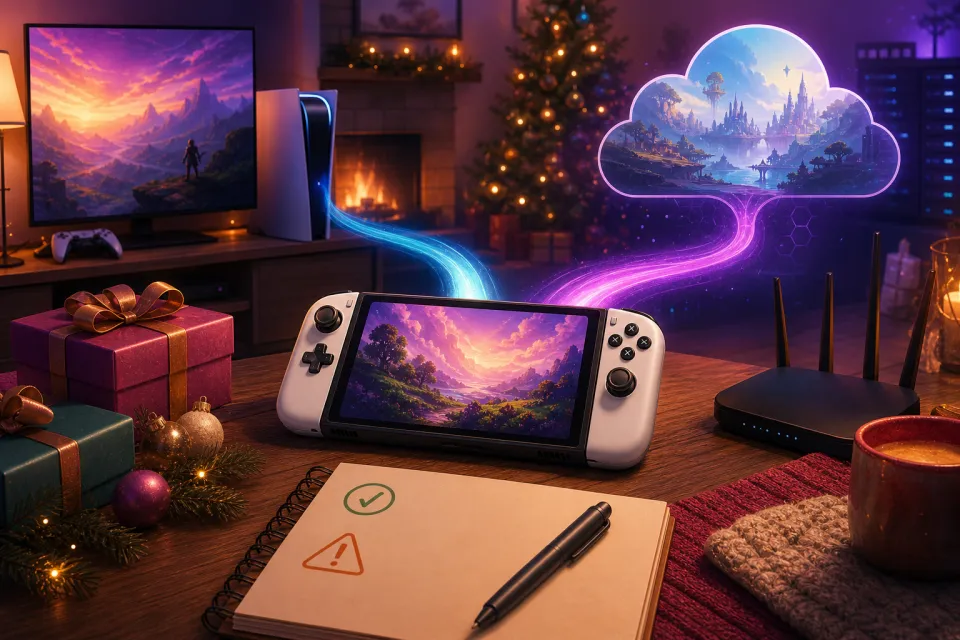
A PlayStation Portal can be a useful Christmas gift for someone who wants to play away from the family TV. But before buying one for a child, check this restriction: Sony says Portal cloud streaming is unavailable to child accounts. A Premium subscription does not remove that limit, according to Sony’s Portal cloud-streaming support page.
That does not mean children cannot use Portal. It means families need to distinguish its two modes: Remote Play connects to your own PS5; cloud streaming connects to Sony’s servers. They have different account, subscription and game requirements.
Here is what US gift buyers should check as of November 22, 2026.
1. For children, plan around Remote Play—not the cloud
Do not buy Portal as a console-free cloud handheld for a child account. Sony’s restriction applies to the cloud-streaming feature itself, not simply to games with older age ratings. Choosing a child-friendly game does not make that mode available.
For a child, assess Portal as a way to access the household PS5 through Remote Play. Sony’s accessory support guidance says child accounts see only the Remote Play home screen, rather than the cloud-streaming experience.
Keep the child on their own age-appropriate account rather than treating an adult login as a workaround. Use Sony’s family-account tools to review parental controls, communication permissions and spending limits before handing over the gift.
The buying question is straightforward: does the child already have access to a suitable PS5, and are you happy for that console to be occupied while they play? If not, Portal may not solve the problem you have in mind.
2. Remote Play and cloud streaming do different jobs
Neither mode turns Portal into a handheld that runs downloaded games locally. Both send gameplay video to the screen and send your button presses back to the machine running the game. Sony explains the two options on its Remote Play overview.
| Question | Remote Play | Cloud streaming |
|---|---|---|
| Where does the game run? | Your PS5 | Sony’s cloud servers |
| Do you need your own PS5? | Yes | No |
| Is PlayStation Plus required? | Not for Remote Play itself | Yes: Premium |
| Which games work? | Compatible games installed on your PS5 | Select eligible PS5 games |
| Is it an offline handheld? | No | No |
With Remote Play, your PS5 must be connected to the internet and either switched on or correctly configured in Rest Mode. Portal must use the same account as the console user it is accessing; Sony’s setup instructions explain the required settings.
Remote Play frees the television, not the PS5. Someone can watch TV through another input or the television’s own apps, but Portal is still controlling the console rather than creating a second independent gaming machine.
Cloud streaming works differently: an eligible adult can play supported games even while their PS5 is off or another account is using it. Sony describes that distinction in its cloud-streaming announcement. Neither option is a reliable substitute for an offline handheld on a journey without usable connectivity.
3. Budget for the current price and recurring membership
Portal’s current US recommended retail price is $249.99. Sony raised it from its original price effective April 2, 2026, so older $199.99 reviews are not a dependable guide to the current standard price. Check Sony’s price announcement and compare the actual checkout price.
For cloud streaming, you need PlayStation Plus Premium—not Essential or Extra. Sony’s US membership page lists these regular Premium prices:
- One month: $19.99.
- Three months: $54.99.
- Twelve months: $159.99.
As of November 22, Sony is advertising a qualifying-user Black Friday offer of $107.19 for the first 12 months, ending November 30, 2026, followed by renewal at $159.99 annually. Sign in to confirm eligibility; do not assume that offer will still exist at Christmas.
At regular prices, Portal plus one annual Premium membership totals $409.98 before tax, excluding separately purchased games. Membership renews automatically until canceled, so include the ongoing bill in your gift budget.
Remote Play itself has no PlayStation Plus fee. However, a game’s normal requirements still apply: most purchased games require Plus for online multiplayer, while most free-to-play games do not. Sony explains those exceptions in its membership FAQ.
4. Check the exact games—not just the PlayStation label
For Remote Play, Portal can access compatible PS5 and PS4 games installed on a PS5. It cannot connect directly to a PS4 console. Sony’s compatibility guide confirms the console restriction, while its product listing describes installed-game support.
There are exceptions. Games requiring a VR headset or certain additional peripherals are incompatible, and you cannot use Remote Play to relay a game that the PS5 itself is cloud streaming. Check Sony’s Portal product-page limitations before promising a particular experience.
Cloud eligibility is narrower. Sony supports select PS5 games from the PlayStation Plus Game Catalog and Classics Catalog, plus select digital PS5 games in your library. Owning a game does not automatically make it cloud-streamable. Sony’s cloud-streaming page and Game Finder are the places to check.
- Check the version: Portal cloud streaming does not support PS4 or PS3 games.
- Check the entitlement: a disc purchase is not the same as owning the eligible digital version.
- Check the subscription: Premium remains necessary even for eligible digital games you purchased separately.
- Check again near Christmas: catalog availability and eligible digital titles can change by time and region.
Make a short list of the recipient’s must-play games before buying. A large advertised library matters less than whether those particular games work in the mode their account can actually use.
5. Internet speed is only the starting point
For Remote Play, Sony specifies a minimum of 5 Mbps upload and download, recommending at least 15 Mbps for better performance. Its connection troubleshooting guide also highlights network congestion and connection restrictions.
For Portal cloud streaming, Sony’s device-specific requirements list these minimum upload and download speeds:
- 5 Mbps: establish a session.
- 7 Mbps: stream at 720p.
- 13 Mbps: stream at 1080p.
Those are minimums, not a promise of flawless play. A fast broadband package cannot guarantee strong Wi-Fi in an upstairs bedroom. For Remote Play, Sony recommends connecting the PS5 by Ethernet cable where possible and using a 5 GHz Wi-Fi connection for Portal.
Test where the recipient will actually sit, ideally while the household is using the network normally. Public Wi-Fi quality is outside your control, and away-from-home Remote Play also depends on the connection back to the PS5. Do not buy on the assumption that every hotel or relative’s house will work equally well.
6. Do this before wrapping the gift
Use this final checklist to catch the expensive misunderstandings before Christmas morning:
- Confirm the account. For a child account, plan a Remote Play setup with a PS5—not cloud access.
- Verify the games. Check the exact titles, versions and required purchases.
- Configure the console. Enable Remote Play and, if needed, both internet connectivity and network wake-up in Rest Mode.
- Run a real connection test. Sony offers a free PS Remote Play app for supported devices; trying it first can reveal problems, although it does not guarantee identical Portal performance.
- Review family settings. Check spending, communication and age restrictions with the child’s account.
- Keep the receipt. Confirm the retailer’s holiday return deadline before purchase.
The best fit is a clear use case: accessing an existing PS5 away from the television, or adult cloud play with verified games and a reliable connection. For a child without a PS5, the cloud-account restriction should stop the purchase before it becomes a Christmas disappointment.
Sources: PlayStation
Watch next
 Read next:Buying a TV for GTA 6? Check These PS5 and Xbox Settings First
More stories
Best PS5 Controller Charging Stations for Holiday 2026
Five gift picks for two-player households, from straightforward dual docks to a separate charging spot for each player.
Best Meta Quest 3 & 3S Accessories for Holiday 2026
Five worthwhile head straps, charging docks and carrying cases, with clear advice on compatibility, comfort and holiday gifting.
Buying a Laptop for Roblox Before Black Friday 2026
A parent-friendly checklist for compatibility, graphics, memory and storage—plus the real-world tests and safety settings to check before keeping a l…