GTA 6’s Boxed Edition Has a Code, Not a Disc: Gift Buyer Guide
Rockstar confirms GTA 6’s boxed console editions contain download codes. Check the platform, account, internet access and return policy before wrapping one.
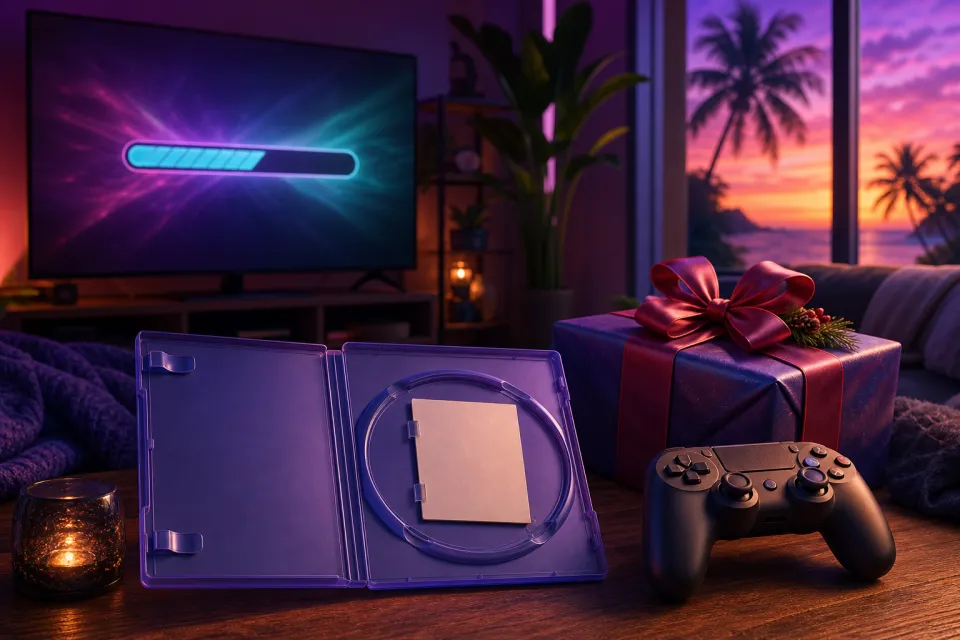
GTA 6’s boxed edition contains a download code, not a game disc. Rockstar confirms the code-in-box format for PlayStation 5 and Xbox Series X|S in its pre-load announcement. If you are buying a holiday gift, think of this as a digital game delivered in physical packaging.
With Grand Theft Auto VI releasing on November 19, 2026, that distinction matters before you wrap a copy. The recipient needs to redeem the code and download the game; opening the case does not provide a disc they can insert and install from.
What buyers actually receive
The essential purchase is a boxed download code for the console version you select. The Rockstar Store listing explicitly says a disc is not included, so a familiar-looking game case should not be mistaken for a traditional disc release.
Redeeming a code applies the digital game to an account. The box is something you can wrap and put on a shelf, but it is not a physical copy of the game’s installation files.
Before paying, read the product description rather than relying on the cover image. Look for wording such as code-in-box, download code or no disc included. If the retailer’s description is unclear, ask for confirmation before ordering.
Also check the exact contents promised by that particular listing. Do not assume the box includes a printed map, collectible extras, an upgraded edition or a subscription simply because another offer mentions them. Save a copy of the listing and order confirmation so you have a record of what was advertised.
Why a physical box does not mean a disc
“Physical” can describe how a purchase is packaged and delivered, rather than how the game itself is supplied. For this release, Rockstar labels the product a physical code-in-box version while making clear that the game is delivered by download.
Rockstar connected the boxed-code release to pre-loading, which means downloading a game before its release so it is ready closer to launch. Its pre-order announcement said boxed versions would be available starting November 12, ahead of the November 19 release.
That explains the announced release arrangement, but it is not evidence for wider claims about manufacturing costs, piracy prevention or a future disc edition. Do not buy this box expecting Rockstar to send a disc later.
For gift buyers, the practical distinction is simpler: you are giving access through a redeemable code, not a reusable game disc. Choose it because the recipient wants this digital version, not because the case looks like the disc games they already own.
Check the console, region and edition before buying
Start by asking which console the recipient actually uses. Rockstar’s announced console versions are PS5 and Xbox Series X|S. Match the platform printed on the product listing to the recipient’s machine; do not treat the two codes as interchangeable.
- Check the full console name. “PlayStation” or “Xbox” alone is not specific enough. Confirm PS5 or Xbox Series X|S before checking out.
- Read the compatibility line. Do not assume a code works on an older console or a computer because it can be redeemed through a website.
- Check the region. Be particularly careful with imports and third-party marketplace sellers. Ask whether the code is suitable for the recipient’s account country.
- Confirm the edition. Make sure you are buying the full game they requested, rather than an upgrade, add-on or collectible product.
PlayStation’s voucher guidance specifically says the voucher’s region must match the account’s region. For a US gift, verify that the recipient uses a US account rather than assuming their current address tells you everything.
If you cannot confirm the platform or edition without spoiling the surprise, ask someone who knows their setup. A quick check is better than giving a code the recipient cannot use.
Plan for the download, storage and internet connection
A code-in-box does not avoid the game download. The recipient needs internet access to redeem the code and obtain the game files. Sony’s November 10 pre-load announcement confirms that boxed-code buyers could activate their codes and begin downloading once received.
Before promising an immediate holiday gaming session, check three things:
- Available storage: Check the current game listing and the console’s installation prompt. Do not plan around an old screenshot or an estimate for the other platform.
- Connection quality: Allow generous time for the download instead of promising that the game will be ready shortly after unwrapping.
- Household data limits: If the recipient has a capped internet plan, check its allowance before arranging a large download.
For a new-console gift, reserve time for setup as well as the game installation. If you want to prepare everything beforehand, ask the recipient how they want their account handled rather than signing into a convenient account of your own.
Keep initial downloading separate from later offline play. The fact that installation requires internet access does not, by itself, establish every offline-play condition. If reliable offline access is essential, verify the current requirements with Rockstar and the console platform before buying.
Redeem on the right account, and forget used-disc resale
Let the intended recipient redeem the code on the account they want associated with the game. Microsoft’s redemption guidance warns that redeemed content cannot be transferred, while PlayStation says its vouchers are single-use and content cannot move between accounts.
Do not redeem the gift on your own account to test it. That is not equivalent to briefly checking whether a disc works. It can attach the purchase to the wrong person.
The same distinction applies after the recipient finishes playing. A redeemed code is not a used disc: handing somebody the case or printed code does not give that person a fresh game license. Do not budget for trading it in or reselling it as a playable used copy.
For holiday shopping, favor a clearly described new product from a reputable seller. Treat an open-box or secondhand offer cautiously, and ask exactly what protection applies if the code has already been used. An intact-looking case alone is not a reason to assume the code is valid.
Keep the receipt and ask about returns before opening or redeeming anything. Specifically ask how the retailer handles code-in-box games, whether its holiday return window applies, and what happens if a supplied code fails. Do not assume ordinary disc-game returns apply.
A final holiday-gift checklist, including age suitability
Before wrapping the box, confirm:
- The recipient wants GTA 6 and does not already own it.
- The platform, account region and edition are correct.
- They understand that no disc is included.
- They have internet access, suitable storage and time to download.
- You have kept the receipt and checked the retailer’s code-related return terms.
For parents and relatives, check suitability as well as compatibility. The ESRB rates GTA 6 Mature 17+, citing content including intense violence, blood and gore, strong sexual content, nudity, strong language, and drug and alcohol use. It also flags in-game purchases. Do not assume it is an appropriate children’s gift because it is popular.
If activation fails, keep the code private and retain proof of purchase. Rockstar’s activation support page directs buyers to their console platform’s support. The safest gift is the correct boxed code, left unredeemed for the recipient, with clear expectations about the download.
Sources: rockstargames.com, take2games.com, PlayStation, Xbox, esrb.org
Watch next
 Read next:Darktide Sisters Novitiate: December 7 DLC vs. Free Update
More stories
Fortnite Crew Changes December 5: What Subscribers Should Check
Epic is replacing monthly Crew outfits with higher V-Bucks allowances and XP boosts. Here’s what changes December 5 and what to check before renewing.

Roblox DONT SPLASH: New Stages and Your First Run
The expanded Poolrooms route asks beginners to do more than jump. Here’s what the reported new stages change, with light spoilers and clear safety ad…

Fortnite’s Final Spritemare Starts Oct. 27: What to Try First
Start with your daily Lucky Locator quest, then target the day’s boosted Sprites. Here’s the five-day loot schedule and what changes on Halloween.