Roblox The Hollow: Start Times, Monsters and Parent Tips
The Hollow opens October 22 with nine horror monsters. Here are the official entry times, a start-time discrepancy, how to join and family safety tips.
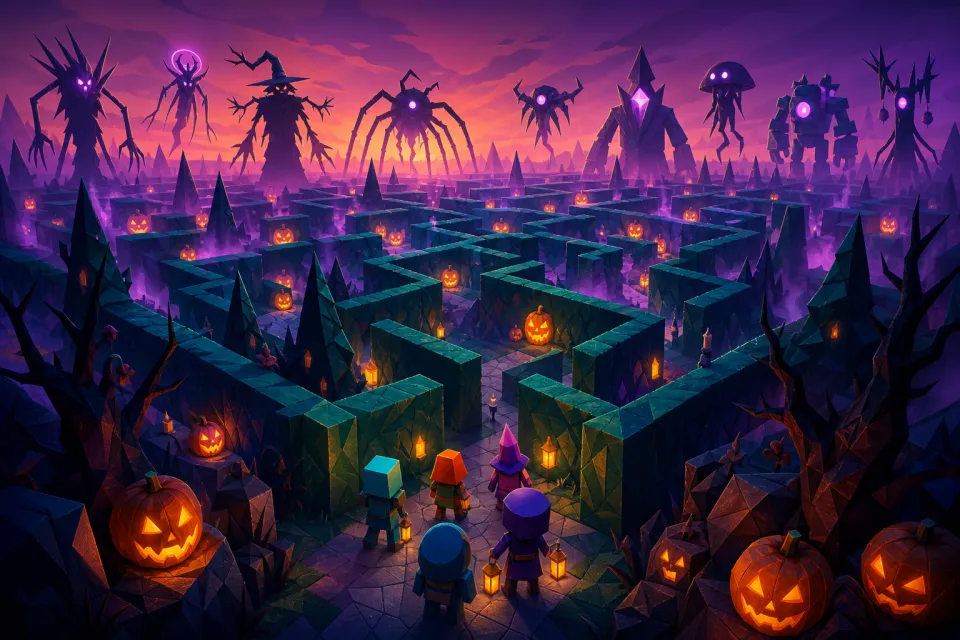
Roblox’s The Hollow opens today, Thursday, October 22, 2026, at 2 p.m. Pacific / 5 p.m. Eastern. Active Roblox Plus subscribers get hub access two hours earlier. The Halloween survival event features monsters from nine horror games, a daily changing maze and an October 31 live finale, according to Roblox’s announcement.
There is one important wrinkle: the official experience page separately says the event “starts” at 3 p.m. Pacific. Below, we distinguish those two times rather than promise that every activity begins when the doors open.
What time does The Hollow start?
Use this schedule to plan your visit. The October 22 conversions below are for the main continental US time zones.
| Milestone | Date | US time |
|---|---|---|
| Roblox Plus early hub access | October 22 | Noon Pacific / 1 p.m. Mountain / 2 p.m. Central / 3 p.m. Eastern |
| Public hub opening | October 22 | 2 p.m. Pacific / 3 p.m. Mountain / 4 p.m. Central / 5 p.m. Eastern |
| Separate start listed on the experience page | October 22 | 3 p.m. Pacific / 4 p.m. Mountain / 5 p.m. Central / 6 p.m. Eastern |
| Live finale | October 31 | Morning; exact time not specified in the announcement |
| Reward collection closes | November 2 | Noon Pacific Standard / 3 p.m. Eastern Standard |
The October 21 announcement supplies the early-access, opening, finale and reward deadlines. However, The Hollow’s official listing distinguishes opening at 2 p.m. Pacific from starting at 3 p.m. Pacific. Neither source explains that difference clearly.
Practical takeaway: aim for the public opening if you want to explore, but leave room for activities to begin later. Do not rearrange a child’s entire afternoon around an unexplained one-hour gap. Check the official listing again before joining.
Daily monsters: all nine confirmed characters
The event brings familiar horror characters into a shared survival setting. Players navigate a new maze each day for nine days, look for clues and evade monsters as the environment becomes increasingly unsettling, as detailed in GamesBeat’s coverage.
| Monster | Original Roblox experience |
|---|---|
| The Deer | 99 Nights in the Forest |
| Seek | DOORS |
| Twisted Dandy | Dandy’s World |
| Piggy | Piggy |
| The Inspector | Scary Shawarma Kiosk |
| Mimic | Animal Hospital |
| Biter | Demonology |
| Hiachi | The Mimic |
| The Overseer | Warden |
This is a roster, not a day-by-day calendar. The launch announcement does not assign individual monsters to specific dates or state a daily reset time. Do not assume The Deer is first simply because it leads the list.
Likewise, do not assume a monster follows its original game’s rules. Treat each encounter as something to learn: read the current instructions, observe what happens and change your approach after an unsuccessful attempt.
How to join the official Hollow experience
The verified route is The Hollow by Roblox Presents, which Roblox links directly from its newsroom announcement. Bookmark that page rather than relying on similarly named search results.
- Open Roblox and sign in. Use the account you intend to play on and update the app beforehand if an update is available.
- Follow the official experience link. Check both the title and the creator, Roblox Presents.
- Review access information. Read any content or account restrictions displayed before pressing Play.
- Join when access opens. If the experience is unavailable, recheck the schedule and official listing rather than jumping into a copy.
- Read the quest instructions inside. Start with the event’s own directions instead of an old walkthrough.
The official listing says quests take place both in the hub and in participating experiences, with avatar items available to earn. Follow the destinations and objectives supplied by the event; do not assume an unrelated Halloween update counts toward Hollow progress.
If joining fails, try restarting Roblox and reopening the official page. Avoid treating an access problem as a reason to install a browser extension, download an unofficial launcher or share account details with someone offering help.
Rewards, paid items and Roblox Plus
Roblox separates quest rewards from limited-time Marketplace purchases. Its official announcement describes earnable UGC—user-generated content—and survival rewards, alongside avatar items for sale, including the Hollow Horseman and seasonal makeup.
Plus perks include early hub entry, an exclusive profile frame and background, and an item launcher for gifting. Plus is not presented as a requirement for general entry.
Before buying anything, ask three questions: Is this earned through a quest, bought separately or included with a subscription? Is it something the player actually wants? Has a parent approved the purchase?
Do not buy a subscription solely because you think it guarantees every reward or makes every encounter easier. Check the exact offer first, including renewal terms, and keep optional shopping separate from the family’s playtime plan.
First-session tips without unverified shortcuts
These are preparation tips, not claims about secret mechanics or guaranteed winning strategies. Use the instructions visible in your session as the final guide.
- Spend your first attempt learning. Identify the objective, practice moving and notice landmarks before trying to finish quickly.
- Re-read instructions when things change. A route or tactic from an earlier session should not become an assumption about today’s challenge.
- Pick one manageable goal. Understanding an encounter or completing one available objective is a better starting point than promising to collect everything.
- Coordinate without oversharing. With friends, agree on a simple plan, but keep real names, school details and contact information private.
- Leave time to review progress. Before ending, check what the game says you completed and whether it asks you to claim anything.
Do not assume that missing one day permanently blocks all rewards, or that everything can be completed afterward. The announcement does not settle those questions. Read the current quest conditions before making a daily attendance commitment.
What parents should check before children play
The Hollow is aimed at players ages nine and older in most regions, with regional access differences, according to the launch coverage. Eligibility is not a promise that a particular child will enjoy a horror survival game.
Preview the scares and agree on an exit
Watch the first session together, keep the volume comfortable and make leaving an acceptable choice. Consider trying it earlier in the day rather than immediately before bed. Familiar characters are not a reason to dismiss a child saying the experience feels frightening.
Review the linked parent account
Roblox’s parental-controls guide explains account linking through Settings, Parental Controls and Add parent. Available controls include content restrictions, communication settings, spending limits and screen-time management; availability depends on the child’s age.
Review those settings before launch excitement takes over. Do not change a child’s birthday or bypass a restriction just to gain event access. For an older child, agree on spending and stopping rules even when a particular technical control is unavailable.
Make rewards scam-proof
Roblox warns against free-Robux and subscription scams that seek passwords or personal information. A stranger promising an event prize is not a reason to log into another website, share a verification code or follow an unfamiliar download link.
Ask children to bring confusing offers to you before responding. Keep the plan simple: enter through the official page, choose a comfortable session length and stop when the game stops being fun—not when a stranger says the next reward is almost yours.
Sources: about.roblox.com · roblox.com · gamesbeat.com · about.roblox.com · en.help.roblox.com
Watch next
 Read next:Dress to Impress Tales of the Dark King: Release Date Guide
More stories
GTA 6 on Roblox? Why Gamers Think It Could Actually Happen
GTA 6 hype is everywhere—but could it really collide with Roblox? Fans are buzzing about leaks, mods, and crossovers. Here’s what you need to know.
Can You Play Fortnite in Your Browser? Now.gg Alternatives in 2025
Want Fortnite without a gaming PC? Learn the 2025 browser options, network tips, and when to go cloud vs local.
How to Stay Safe While Playing Roblox R63 Games (2025 Guide)
Discover the most engaging R63-friendly Roblox games in 2025—fashion hubs, roleplay studios, combat arenas, and obbies that make your avatar shine sa…