Best Gaming Gift Cards for Kids: Roblox, Fortnite, Nintendo (2026)
Five holiday gift-card picks, with the account restrictions and parental-control details worth checking before you buy.
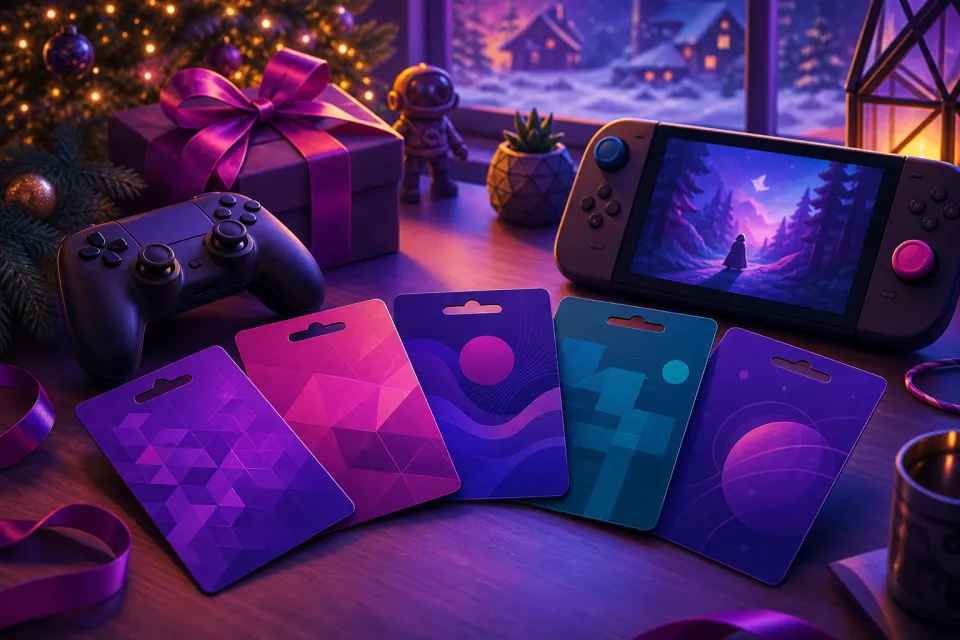
We may earn a commission when you buy through links on this page. As an Amazon Associate we earn from qualifying purchases. Prices change often — check Amazon for the current price.
Our best overall pick is a Nintendo eShop Card for a child who owns a Nintendo Switch or Switch 2. It lets them choose a game rather than asking you to guess what they already own. For a dedicated Roblox or Fortnite player, however, a card for that specific game is the better match.
These five gift-card products have current US purchase listings checked on November 21, 2026. Before choosing one, confirm the child’s platform and account country with a parent—and remember that prepaid credit is a spending allowance, not a substitute for parental controls.
Our picks at a glance
- Nintendo eShop Card — Best overall for Switch families
- Roblox Gift Card — Best for regular Roblox players
- Microsoft Xbox Gift Card – Digital Code — Best for Xbox and Microsoft Store flexibility
- Sony PlayStation Store Gift Card — Best for parent-managed PlayStation spending
- Fortnite Gift Card – Powered by the Epic Games Store — Best for Fortnite fans with parent-assisted redemption
1. Nintendo eShop Card — Best overall for Switch families
Budget
This is our first choice for a child who owns a Nintendo Switch or Switch 2 and would enjoy choosing a digital game. Nintendo confirms that the cards work toward games for both console families, making them useful without committing to one title. They are a better fit for building a game library than a card restricted to one game’s currency. Skip this pick if the child does not use Nintendo’s digital store, and make sure the card matches the account’s country.
What we like
- Supports digital game purchases for Nintendo Switch and Switch 2
- Lets the recipient choose instead of risking a duplicate game
- Available from established US gaming retailers
Keep in mind
- Country-specific redemption restrictions
- Not useful for purchases on competing gaming platforms
- A child may still need additional funds for the game they want
2. Roblox Gift Card — Best for regular Roblox players
Budget
Choose this when Roblox is the child’s clear favorite and a parent is comfortable with additional in-game spending. Robux, Roblox’s virtual currency, can be used for avatar items and purchases within experiences. Check the listing carefully: some retailer codes, including Amazon digital cards, grant Robux directly rather than flexible Roblox credit. Parents should also know that Roblox’s monthly spending limit does not cover gift-card redemption.
What we like
- Directly relevant to a child who already enjoys Roblox
- Physical and digital purchase options
- Gift-card redemption includes a virtual item, subject to Roblox’s terms
Keep in mind
- Amazon digital codes grant Robux rather than Roblox credit
- Monthly spending limits do not apply to gift-card redemption
- Not a way to purchase games outside Roblox
3. Microsoft Xbox Gift Card – Digital Code — Best for Xbox and Microsoft Store flexibility
Budget
An Xbox Gift Card is a flexible choice for families who buy through the Xbox or Microsoft Store. Microsoft lists support for purchases through its online store, Windows and Xbox, giving it a wider scope than a single-game currency card. It is not a Game Pass membership code, so confirm whether the recipient wants store credit or a particular subscription. Skip it for a PC player who shops exclusively on Steam or another unrelated storefront.
What we like
- Works across eligible Microsoft Store purchases on Xbox, Windows and the web
- Lets the recipient choose games instead of receiving a specific title
- Available directly from Microsoft as a digital code
Keep in mind
- Does not add credit to Steam or competing storefronts
- Country and currency restrictions apply
- Gift-card balance purchases are an exception to Microsoft’s standard Ask to Buy approval requirement
4. Sony PlayStation Store Gift Card — Best for parent-managed PlayStation spending
Budget
This is the straightforward choice for a family buying digital PlayStation games, add-ons or subscriptions. The important catch is that a child account cannot hold its own wallet balance. A parent must redeem the card on the family manager’s account and set a monthly spending allowance for the child. That extra setup makes it less convenient as an independent stocking stuffer, but useful when a parent will help manage the gift.
What we like
- Covers digital games, add-ons and eligible subscriptions
- Available in digital and physical formats
- Child purchases use a parent-controlled monthly spending allowance
Keep in mind
- Child accounts cannot redeem wallet top-up cards into their own wallet
- Card region must match the account
- Cannot buy physical consoles, accessories or merchandise
5. Fortnite Gift Card – Powered by the Epic Games Store — Best for Fortnite fans with parent-assisted redemption
Budget
Choose the current Fortnite Gift Card rather than deliberately hunting down older V-Bucks cards. It adds money to an Epic account balance, which can fund V-Bucks and other eligible purchases through Epic’s payment system. Nintendo players need special care: V-Bucks purchased using that balance do not appear in the Nintendo wallet, although items bought through the web Item Shop can appear across linked platforms. Skip this option if the family wants completely console-only redemption with no Epic-account assistance.
What we like
- More flexible than a card that grants only V-Bucks
- Current US listings include digital and physical options
- Eligible purchases extend beyond Fortnite through Epic’s payment system
Keep in mind
- Adds Epic account balance rather than automatically delivering V-Bucks
- Nintendo does not support Fortnite Shared Wallet
- Younger players’ Cabined Accounts have additional purchase restrictions
How we chose
We compared official gift-card listings, redemption rules and family-account documentation, alongside reputable gaming publications’ gift-card buying guides and coverage. Rankings prioritize usefulness to families, purchase flexibility and redemption pitfalls; the pros and cons reflect documented benefits and restrictions, not hands-on testing. All picks have Budget options, so that tier describes their entry-level gifting options rather than a fixed card value.
Choose the child’s store before choosing the card
The best gift card is the one the child can actually use. Ask a parent which account receives their purchases, not just which device they own. An Xbox card does not fund Steam purchases, and a Fortnite card adds Epic balance rather than console-store credit.
For Nintendo families, the official Nintendo eShop card page confirms support for Switch and Switch 2 games. TechRadar’s Nintendo gift-card guide also covers buying cards for Switch 2 owners. Check Nintendo’s country restrictions before buying a US card for a family abroad.
Check the five cards’ purchase and redemption details
Nintendo eShop Card
Nintendo’s official page describes the supported console families, while GameStop’s current gift-card listings provide a US purchase option for Nintendo, Roblox, Xbox and PlayStation cards. Availability and card designs can vary by retailer.
Roblox Gift Card
Roblox’s official gift-card page explains the difference between credit-based cards and codes that grant Robux directly. Its redemption guide provides browser-based instructions. GamesRadar’s Roblox gift-card buying guide supplies additional purchasing context; check the actual retailer listing rather than assuming every code has identical benefits.
Microsoft Xbox Gift Card – Digital Code
Microsoft’s US product listing confirms eligible storefronts and country restrictions. Windows Central’s Xbox gift-card coverage explains using store credit to purchase games rather than relying solely on a subscription.
Sony PlayStation Store Gift Card
Sony’s gift-card page confirms digital games, add-ons and subscription uses, and excludes physical hardware. TechRadar’s PlayStation gift-card guide discusses digital voucher purchasing and redemption. For children, follow Sony’s separate child-account redemption instructions.
Fortnite Gift Card – Powered by the Epic Games Store
Best Buy currently lists the new Fortnite gift cards in the US. Epic’s official explanation distinguishes them from older V-Bucks cards. Its gift-card announcement and wallet guidance explains the Nintendo limitation and how purchased items can be available across linked platforms.
Set parental controls before handing over the code
Prepaid does not mean every purchase requires permission. Roblox explicitly says its monthly spending limit does not affect gift-card redemption. Review Roblox’s parental controls, including content and communication settings, before adding funds.
On PlayStation, redeem wallet credit on the family manager’s account. Sony says the default child spending limit is zero; the parent must decide what allowance to permit.
Microsoft’s official purchase-approval guidance identifies gift cards and existing account money as exceptions to the usual Ask to Buy requirement. Epic likewise notes that redeeming a Fortnite gift card does not require a Parental Controls PIN. Agree on what the credit is for before redemption.
Make the gift easy to redeem
- Confirm the account first. Sit with a parent and check the signed-in username before entering the code. Sony warns that redeemed funds cannot be transferred between accounts.
- Match the account country. Nintendo, Microsoft and PlayStation publish regional restrictions; a US purchase is not automatically suitable for an overseas account.
- Check younger Fortnite accounts. Epic’s gift-card guidance says Cabined Accounts, its restricted accounts for younger players, can use the balance only for Epic’s games and cannot use it for Fortnite Crew.
- Keep the receipt and protect the code. Buy from the platform or an established retailer. Roblox’s official gift-card page warns against sharing codes with strangers or using them to pay unrelated bills.
FAQ
What is the best gaming gift card when I do not know what a child plays?
Ask a parent before buying. Our overall Nintendo pick assumes the child owns a Switch or Switch 2 and uses its digital store; no card in this roundup works across every gaming platform.
Are Roblox gift cards from Amazon the same as cards bought directly from Roblox?
Not necessarily. Roblox says Amazon digital gift cards grant Robux directly rather than Roblox credit. Check the listing if flexible credit matters to the recipient.
Should I buy a Fortnite Gift Card or an older V-Bucks card?
We recommend the current Fortnite Gift Card, which Epic is using to replace V-Bucks cards. It adds Epic account balance rather than a fixed quantity of V-Bucks. Previously purchased V-Bucks cards remain redeemable through their separate redemption process.
Can a child redeem a PlayStation Store gift card on their own account?
A child account cannot hold wallet funds. Redeem the wallet top-up card on the family manager’s account, then have the parent set an appropriate monthly spending limit for the child.
Why is every card labeled Budget?
These card families offer lower-value gifting options as well as larger ones. Budget describes the availability of a modest entry-level gift, not a claim that every denomination is inexpensive or discounted.
Sources: nintendo.com, techradar.com, gamestop.com, Roblox, gamesradar.com, microsoft.com
 Read next:Dandy’s World 1.0: Launch Status and Your First Run
More stories

GTA 6 Standard vs. Ultimate: What the Extra $20 Gets You
Ultimate adds vehicles, customization shops and bonus activities. Here’s what actually costs extra, which launch bonuses both editions share, and whe…

GTA 6 Online at Launch? What Buyers Should Know Before November 19
Rockstar describes GTA 6 as single-player. Here’s what that means for launch, the free GTA+ month, and expectations about your existing GTA Online ac…
Marvel Rivals Nightcrawler: Release Date, Healing and Teleports
Nightcrawler brings healing and ally teleportation to the Strategist role. Here’s what’s confirmed for Season 11—and what needs testing after launch.